Affiliate disclosure: This article contains Skyscanner affiliate links, including on the screenshots. If you use one and make an eligible booking, I may earn a commission.
I’ve used Skyscanner many times to compare flights. The feature I keep returning to is the ability to search from an entire country to Everywhere. If I’m free to explore and haven’t decided where to go, I can see destinations before choosing a specific airport or city.
Other travel sites may offer similar searches. What I especially like here is how straightforward it feels to start broad and then narrow the options down.
1. Choose a country, city or airport to fly from
In the From box, type “United Kingdom” and select the country result. That lets me look beyond one departure airport. If I already know I need to fly from a particular place, I can enter that airport instead.
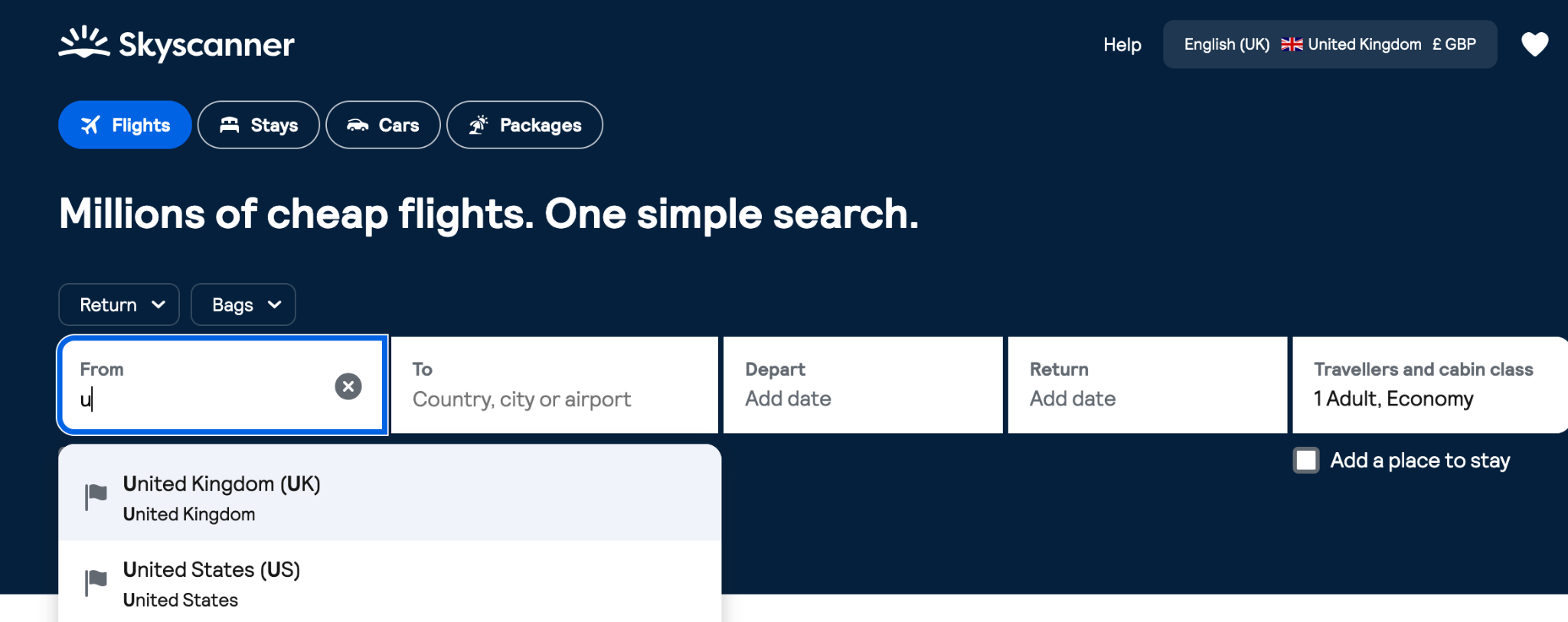
A country-wide search is a starting point. A low fare from a distant airport may be less useful once I add the cost and time of getting there, especially for an early departure.
2. Select “Everywhere” as the destination
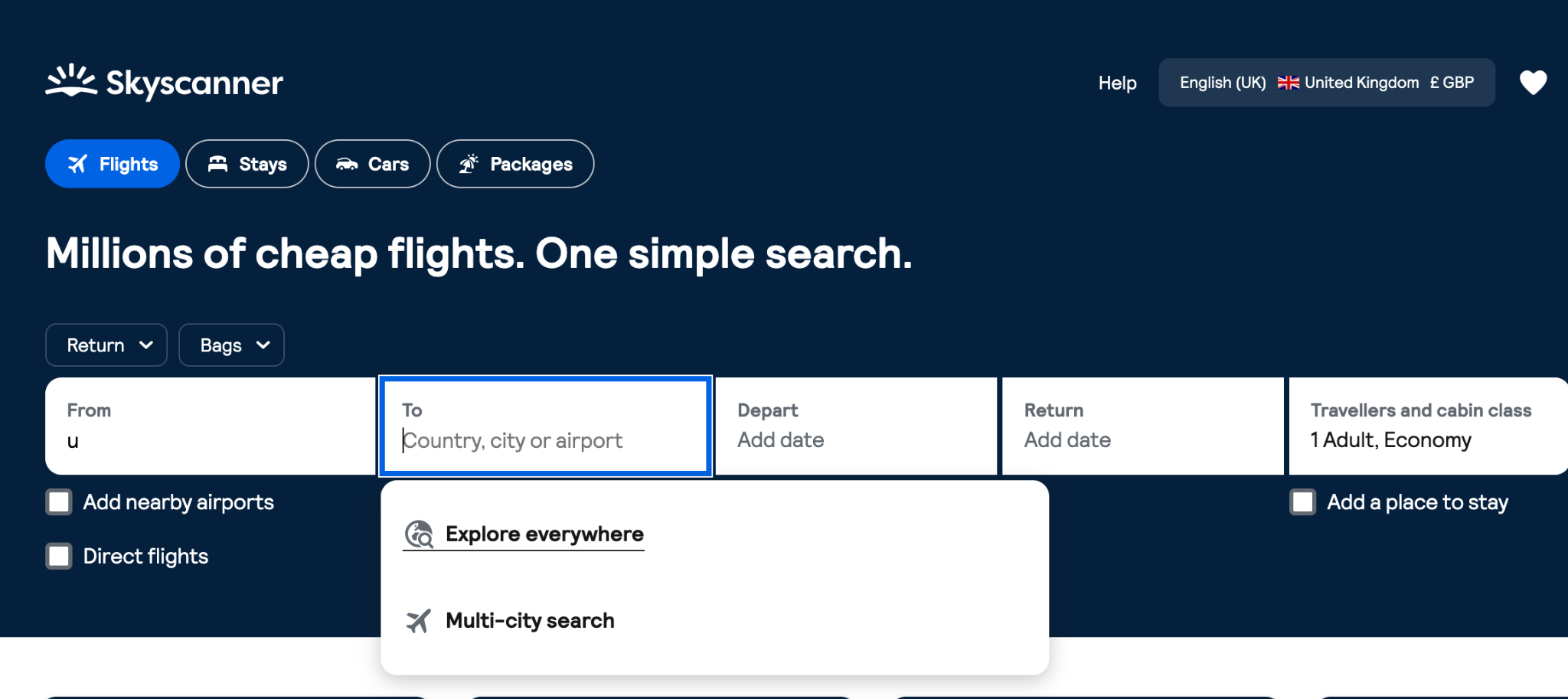
Click the To box and select Explore everywhere. This is the part I enjoy most: I can look for somewhere interesting within my budget instead of entering a destination first.
3. Pick your dates and search
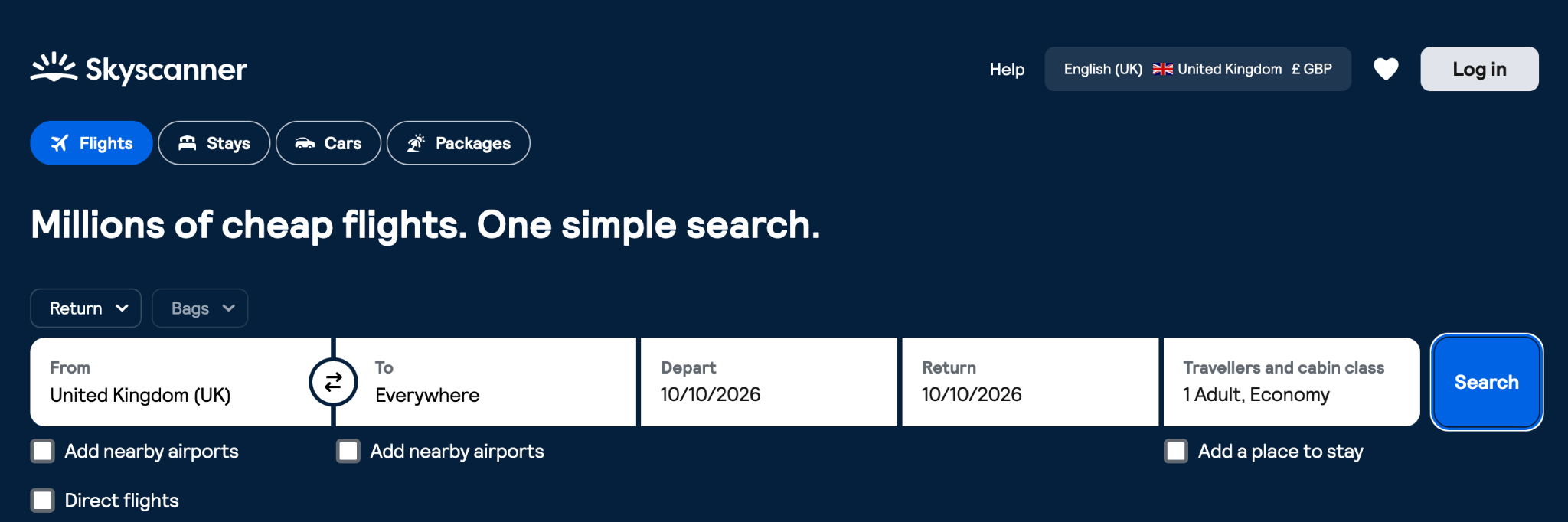
Set the dates and number of travellers, then search. If my schedule is flexible, I also compare different dates or use Skyscanner’s month options where available. A slight change in departure or return date can show a different set of fares.
4. Compare places, then inspect the actual flight
The results can suggest countries and places I might not have considered. In my example search, options for Ireland, Italy and Spain appeared. From there, I can open a destination and compare the actual flights, airports, travel times and providers.
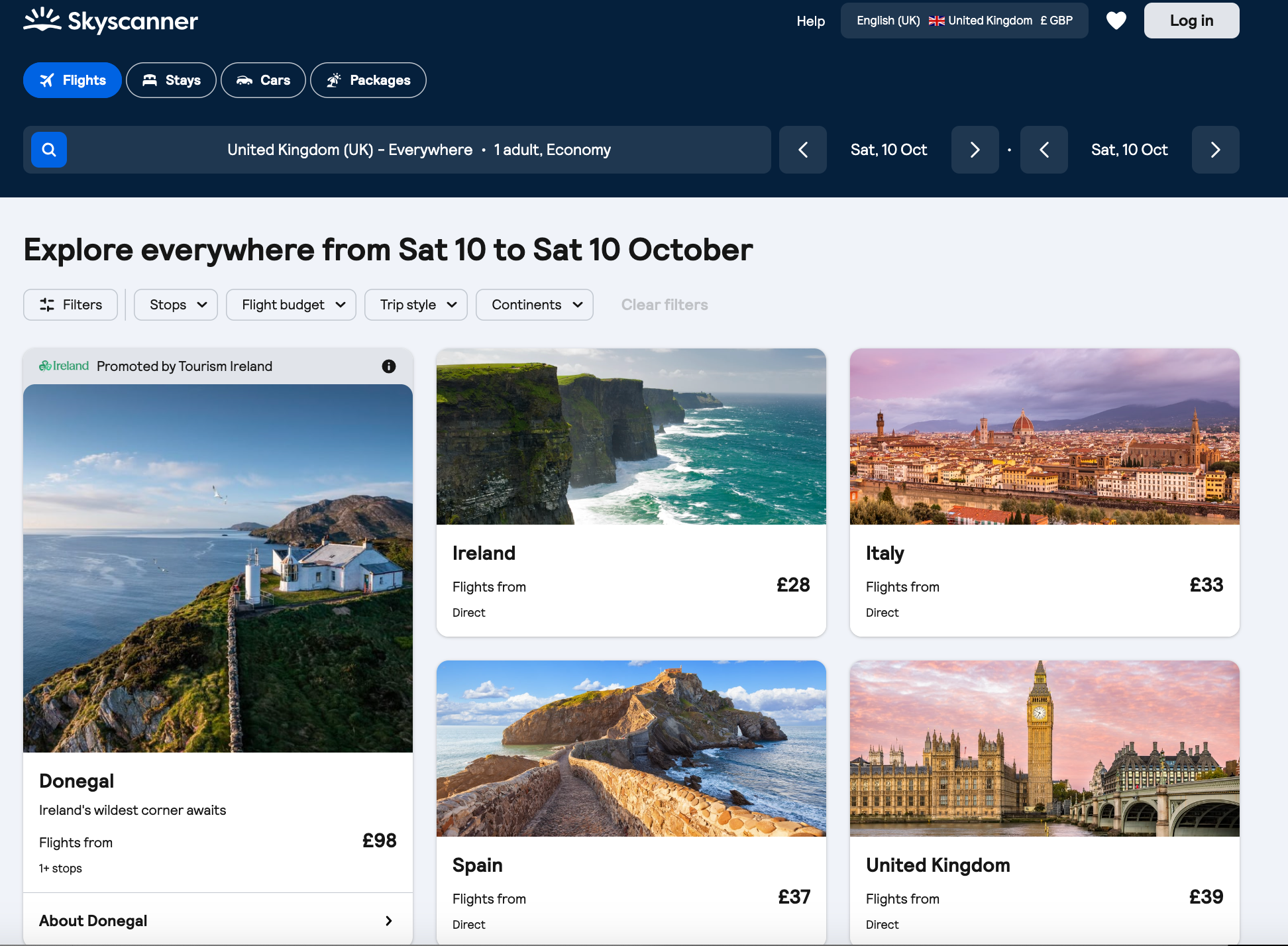
The first price is an invitation to investigate, not a complete trip budget. I check which UK airport it uses, whether the flight is direct, the arrival airport, the hours of travel and the return journey. A cheap outbound flight is less attractive if the return is expensive or awkward.
My checks before I pay
- Compare nearby dates. If you have flexibility, try different days or the Whole Month and Cheapest Month views.
- Count the full cost. Add baggage, seats if needed, airport transport and any other extras to the fare you actually intend to buy.
- Use filters deliberately. A direct flight or a better departure time may be worth more to you than the lowest headline price.
- Check the booking provider. Skyscanner compares options and typically sends you to an airline or travel agent to complete the booking. Read that provider’s terms for changes and cancellations.
- Watch a route if you’re not ready. A price alert can let you know when a fare changes, but it does not lock in the displayed price.
Prices and availability can change between a search and the provider’s checkout. Before paying, I read the final total and make sure the airports, dates, passenger details and baggage match what I need.
Why I keep using it
For me, the useful part is being able to begin with curiosity. I can search broadly, notice a destination I had not planned, then do the practical checks before deciding whether the trip makes sense. Sometimes the best result is simply discovering an option I would never have searched for by name.
Feature details checked against Skyscanner’s search help and its guidance on flexible dates and price alerts. Interface labels and available options may change.